To set up WordPress SEO for a Nepali website, host the site close to your visitors, set clean permalinks and HTTPS, install one SEO plugin such as Rank Math or Yoast, use a light theme with few plugins, and pass Core Web Vitals on mobile. Then add Nepali Unicode content, local business details and accurate structured data.
WordPress runs a large share of business websites in Nepal, from hotels and clinics to news portals and online shops. It can rank very well, but a default install with a heavy theme, twenty plugins and slow hosting usually does not. Most WordPress SEO problems I see are settings and weight, not content.
I am Ujjwal Rupakheti, a full-stack developer and SEO specialist in Itahari. This guide is the setup I use, in order. It assumes you can edit settings and, for a few steps, a theme file. Where code is involved, I show the exact snippet.
Is WordPress Good for SEO in Nepal?
Yes, when it is set up well. WordPress produces clean HTML, handles titles, sitemaps and canonicals through one plugin, and lets non-technical staff publish often. Its weak points are speed and bloat: heavy themes, page builders and stacked plugins slow pages down on Nepali mobile networks.
The rest of this guide fixes those weak points. If you are still choosing a platform, the last section explains when a different setup is a better fit.
Step 1: Choose Hosting Close to Your Visitors
Server speed is the first thing visitors wait for. Time to First Byte (TTFB), the time before the server starts sending the page, should usually stay under about 0.8 seconds. For an audience in Nepal, host in Nepal or nearby, such as Singapore or Mumbai, rather than the cheapest US plan.
Every request travels the physical distance to the server and back, so a server on the other side of the world adds delay to every page and file. Measure it yourself: run a test from a Nepali connection before and after a move, and compare TTFB for the same page.
- Server software: LiteSpeed or Nginx with PHP 8.2 or newer handles traffic better than an old, untuned setup.
- Page caching: serve cached HTML to visitors, either from the server (LiteSpeed Cache) or a plugin such as WP Rocket.
- Object caching: on busy sites and stores, Redis keeps frequent database results in memory.
- CDN: a CDN such as Cloudflare serves images, CSS and JavaScript from locations closer to the visitor.
Old post revisions also slow the database over time. You can limit them in wp-config.php:
define( 'WP_POST_REVISIONS', 5 );
define( 'AUTOSAVE_INTERVAL', 120 );
Step 2: Get the Core Settings Right
A few WordPress settings decide whether search engines can index the site at all. Check that “Discourage search engines” is off, that the site uses HTTPS with one preferred host, and that permalinks use the post name. These take five minutes and cause serious problems when they are wrong.
- Settings, Reading: untick “Discourage search engines from indexing this site” after launch.
- Settings, General: both addresses use
https://and the same host, with or withoutwww. - Settings, Permalinks: choose “Post name”, so URLs look like
/local-seo-itahari/. - Settings, Discussion: turn off pingbacks and trackbacks, and moderate comments to stop spam links.
- Attachment pages: redirect them to the file or parent post; Yoast and Rank Math both have this option.
Changing permalinks on a live site?If you change permalinks on an existing site, add 301 redirects from every old URL first, or you will lose the rankings those URLs had earned.
Step 3: Install and Configure One SEO Plugin
Use one SEO plugin: Rank Math or Yoast SEO. Either handles titles, meta descriptions, XML sitemaps, canonical tags, breadcrumbs and a basic schema graph, and the free versions are enough for most Nepali sites. Never run two at once, because they output duplicate tags and conflicting sitemaps.
- Site identity: enter your business or personal name, logo and social profiles, so the schema graph describes the right entity.
- Titles: set templates for posts, pages and products, then write a unique title and description for every important page.
- Indexing: noindex internal search results, thin tag archives and author archives on single-author sites.
- Sitemap: include posts, pages and products; exclude tags, attachments and anything noindexed. Submit it in Search Console and Bing Webmaster Tools.
- Breadcrumbs: enable them, and show them in the theme so users see the same trail as the markup.
Step 4: Use a Light Theme and Fewer Plugins
Every plugin and builder adds code, and much of it loads on every page whether it is used or not. Choose a light theme such as GeneratePress, Kadence or Astra, build pages with the block editor where you can, and keep the plugin list short. Fewer, better plugins make the site faster and safer.
Page builders create deeply nested HTML, which makes the browser work harder and often hurts INP on phones. If you already use one, avoid stacking extra add-on packs on top of it.
Many plugins load their CSS and JavaScript on every page. A contact form plugin, for example, often loads on the home page even though the form is only on the contact page. You can stop that with a plugin such as Perfmatters, or with a few lines in a child theme’s functions.php:
add_action( 'wp_enqueue_scripts', function () {
    if ( ! is_page( 'contact' ) ) {
        wp_dequeue_script( 'contact-form-7' );
        wp_dequeue_style( 'contact-form-7' );
    }
}, 100 );
Test the contact page after any change like this, and replace contact with your page’s slug.
Step 5: Pass Core Web Vitals on Mobile
Core Web Vitals measure loading (LCP under 2.5 seconds), responsiveness (INP under 200 milliseconds) and stability (CLS under 0.1) for real visitors. INP replaced FID in March 2024. On WordPress, the biggest wins usually come from images, caching, fewer scripts and a correctly loaded hero image.
Images
Upload images at the size they are shown, not straight from the camera. Serve WebP or AVIF; WordPress has supported AVIF uploads since version 6.5, and plugins such as ShortPixel or the LiteSpeed image service can convert existing images. Always keep width and height on images so the layout does not jump.
The Hero Image
WordPress adds loading="lazy" to most images, and since version 6.3 it tries to skip the first large image and mark it with fetchpriority="high". Custom themes and builders sometimes break this, and a lazy-loaded hero is one of the most common causes of a slow LCP. If your theme prints the featured image itself, load it eagerly:
echo wp_get_attachment_image(
    get_post_thumbnail_id(),
    'large',
    false,
    array( 'loading' => false, 'fetchpriority' => 'high' )
);
Scripts
Delay chat widgets, social embeds and tracking tags until the user interacts, and remove any you do not use. Keep critical CSS inline and load the rest without blocking rendering; LiteSpeed Cache and WP Rocket can do both. Check the result in PageSpeed Insights on a mobile profile. The thresholds and fixes are explained in full in my technical SEO checklist.
Step 6: Handle Nepali Unicode and Bilingual Content
Write Nepali content in Unicode Devanagari, never as images or in legacy fonts such as Preeti, so search engines can read it. Use short English or romanised slugs, load Devanagari fonts efficiently, and if you publish both Nepali and English, use a plugin that adds correct hreflang tags.
Self-host one Devanagari font such as Mukta or Noto Sans Devanagari, load only the weights you use, and set font-display: swap.
Edit Devanagari slugs to short English or romanised words before publishing.
Polylang or WPML create language versions with hreflang. Translate titles and descriptions too.
If readers expect Bikram Sambat dates, show them in the content, but keep ISO dates in structured data.
Step 7: Build Local SEO into WordPress
For a local business, WordPress should confirm what your Google Business Profile says. Give each branch its own location page with the same name, address and phone as the profile, a map, opening hours and directions, and add LocalBusiness structured data with the same details.
| Element | Weak setup | Strong setup |
|---|---|---|
| Branches | All addresses listed in the footer | One page per branch with its own URL |
| Menus and price lists | Scanned PDF or image | HTML text that search engines can read |
| Map | A screenshot of a map | An embedded map matching the profile pin |
| Contact details | Different numbers on different pages | The same NAP as the Google Business Profile |
Here is a minimal LocalBusiness example with placeholder values. Replace every value with your real details, and only include what is true and visible on the page:
{
  "@context": "https://schema.org",
  "@type": "Restaurant",
  "@id": "https://www.example.com.np/itahari/#business",
  "name": "Example Restaurant",
  "url": "https://www.example.com.np/itahari/",
  "telephone": "+977-25-000000",
  "address": {
    "@type": "PostalAddress",
    "streetAddress": "Traffic Chowk, Ward No. 3",
    "addressLocality": "Itahari",
    "addressRegion": "Koshi Province",
    "addressCountry": "NP"
  },
  "servesCuisine": "Nepali"
}
For the profile side, follow my Google Business Profile setup guide for Nepal, or see my local SEO service.
Step 8: Optimise a WooCommerce Store
For WooCommerce stores, give every product one clean URL, unique titles and descriptions, product structured data with price and availability, and fast category pages. Control filter and sort URLs so they do not create thousands of near-duplicate pages, and show payment options such as eSewa, Khalti and Fonepay clearly.
- Keep the default product base, so a product in two categories still has one URL.
- Write your own product descriptions instead of copying the supplier’s text.
- Let your SEO plugin output
Productmarkup with price in NPR and stock status. - Noindex or canonicalise filtered and sorted category URLs.
- Mark out-of-stock products clearly instead of deleting pages that still get traffic.
An online store with eSewa, Khalti or Fonepay is one of the builds I offer as a web developer in Nepal, from NPR 60,000, with product structured data set up from the start.
Step 9: Keep Structured Data Accurate and Single
Let your SEO plugin produce one connected schema graph, then add only what it misses. Many sites have duplicate or conflicting markup because a theme, a review plugin and an SEO plugin each add their own. Test key templates in the Rich Results Test and remove anything that repeats or describes content not on the page.
Connected entities matter for AI search as well as Google. When your Organization, author Person and Article nodes share consistent @id values and links to your real profiles, assistants can tell who wrote a page and which business it belongs to. My technical SEO checklist covers which rich results still appear in 2026.
Step 10: Protect Rankings with Security and Updates
A hacked WordPress site can lose its rankings overnight through spam pages, redirects or a browser warning. Keep WordPress, the theme and plugins updated, remove plugins you no longer use, use strong passwords with two-factor login for admins, and keep daily off-site backups you have tested restoring.
Check Search Console’s Security issues and Manual actions reports monthly. After any major update, crawl the site and spot-check the home page, a service page and a post for noindex tags, missing titles or broken layouts.
Need Your WordPress Site Fixed?I audit and fix WordPress sites in the theme and plugin code, not only in settings. Technical SEO audits start from NPR 15,000.
Ask about your siteWhich WordPress Plugins Do I Recommend for SEO in 2026?
Keep the stack small: one SEO plugin, one caching plugin, one image optimiser, and optionally one script manager. Each does one job, and none overlap. Adding more plugins to solve SEO usually slows the site and creates conflicts.
| Job | Plugin options | What it handles |
|---|---|---|
| SEO | Rank Math or Yoast SEO | Titles, descriptions, sitemaps, canonicals, schema, breadcrumbs |
| Caching | LiteSpeed Cache (on LiteSpeed servers) or WP Rocket | Page cache, minification, critical CSS, delayed scripts |
| Images | ShortPixel, or the LiteSpeed image service | Compression and WebP or AVIF conversion |
| Scripts (optional) | Perfmatters | Unloading unused plugin files per page |
| Languages (if needed) | Polylang or WPML | Nepali and English versions with hreflang |
When to Choose Something Other Than WordPress
WordPress is a good fit when non-technical staff publish often. It is a weaker fit when the site has a few pages that rarely change, or when it is really a web application. In those cases a static site or a custom build is often faster, cheaper to host and easier to keep secure.
The Hotel Aarohi website is plain static HTML on GitHub Pages, which keeps it fast on rural mobile connections and free to host, while still having local SEO pages and Hotel structured data. Nimtto is a product rather than a blog, so it uses a Vite build with pre-compressed pages and its own sitemaps.
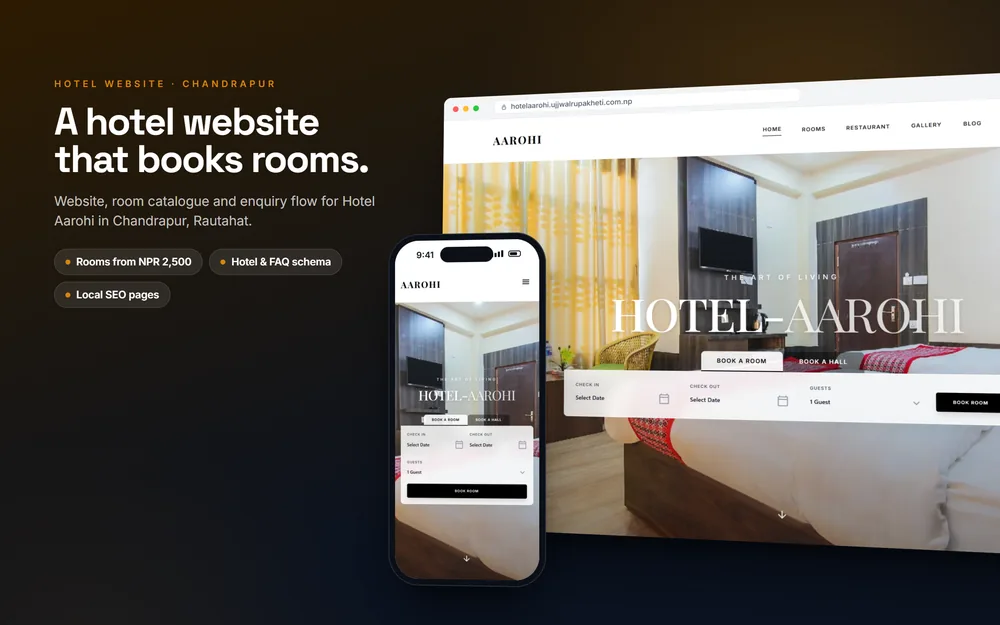
Case study: Hotel AarohiStatic HTML on GitHub Pages: fast on rural connections, free to host, with Hotel structured data.
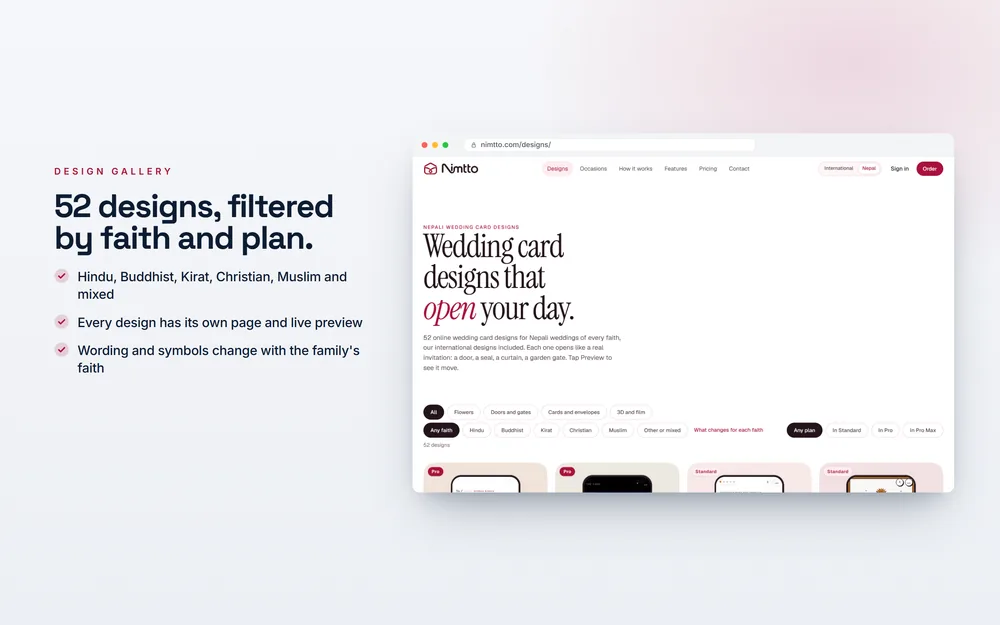
Case study: NimttoA product, not a blog: a Vite build with pre-compressed pages, five sitemaps and hreflang.
If you are unsure which suits your business, a short consultation is usually enough to decide. For the wider SEO process beyond WordPress, read my guide to doing SEO in 2026, or see all services and prices.

About the author
Ujjwal Rupakheti
I am a full-stack web developer and SEO specialist based in Itahari, Koshi Province, Nepal. I have worked in web development and SEO since 2022 and have published more than 200 SEO-optimised articles across five-plus domains. Since June 2026 I have been a full-stack web developer at Ektukra Digital Agency, after a year there on SEO content strategy and QA testing.